
Competitor Analysis
Competitor Analysis is an evaluation of the strengths and weaknesses of the competition. They are ranked on aspects such as pricing, quality and service to assess where they fall in comparison to the proposed business, and other competitors. This process will also help to determine the business’ competitive advantage.
Using Competitor Analysis on Planium Pro
To complete section, on the left-hand side menu bar, click the + to expand the ‘Marketing’ menu and select ‘Competitor Analysis’.
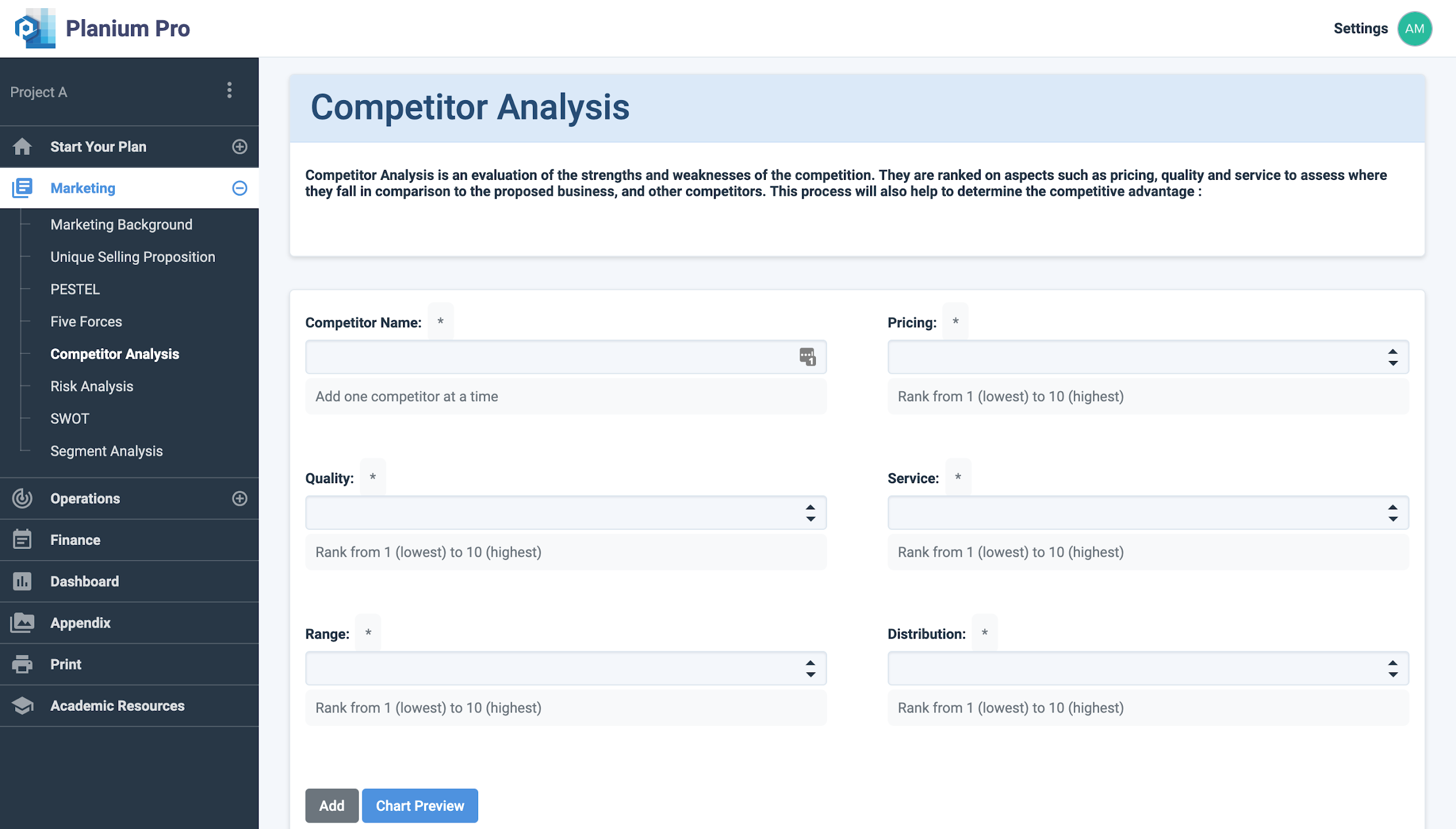
Add one competitor at a time, and allocate a number on the following fields:
- Pricing: Rank the competitor’s pricing from 1 (being the lowest) to 10 (being the highest)
- Quality: Rank the competitor’s quality from 1 (lowest) to 10 (highest)
- Service: Rank the competitor’s service from 1 (lowest) to 10 (highest)
- Range: Rank the competitor’s range from 1 (smallest) to 10 (largest)
- Distribution: Rank the competitor’s distribution from 1 (smallest) to 10 (largest)
Click ‘Add’ to save changes.
Click ‘Chart Preview’ to view the analysis results.
Analysing Competitor Analysis Results on Planium Pro
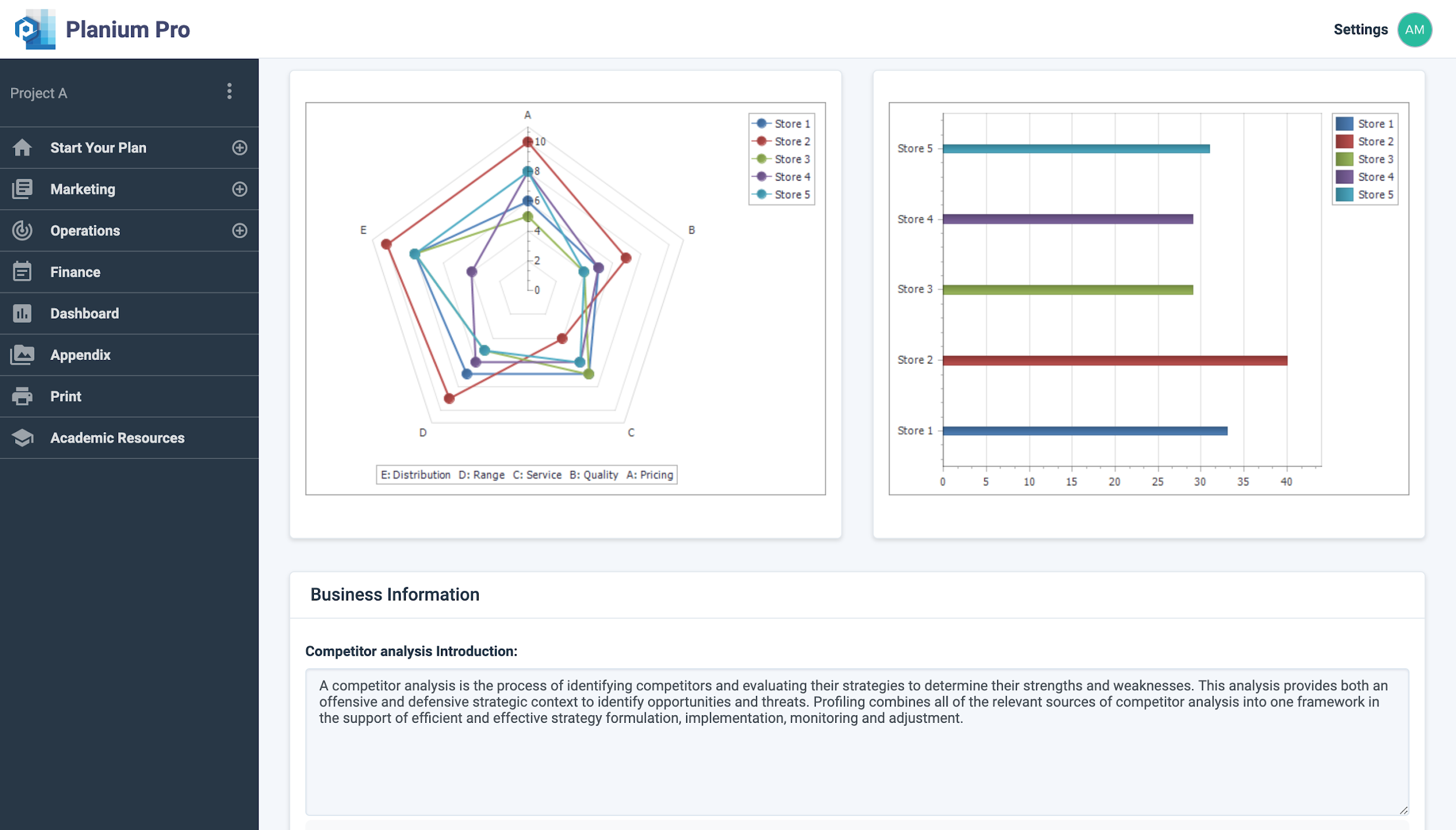
Under ‘Competitor Analysis Introduction’, you can input any introductory information that may benefit your client or investor.
‘Analysis Results’ is the section to write-up the analysis on the graph and describe any key themes that are present in the data.
Click ‘Save’ to save changes.
Click ‘Report Preview’ to view the write-up in report format.